One CRM to track every call-driven lead, from first contact to a won deal
How we set up Bitrix24 for an IVR and telephony company so leads from many sources, calls and ads follow one clear path.
The business
The client is an IVR and telephony company (name withheld). They sell call and voice solutions to other businesses. Their sales team gets enquiries from many places: incoming phone calls, their website, email, events and online ads.
They needed one place where every enquiry is saved, given to the right sales person, and followed until it becomes a customer or is closed.
The challenge
1. Many sources
Enquiries came from calls, ads, events, partners and more. Without one list, it is easy to lose track of where a lead came from.
2. A clear path
The team needed the same simple steps for every lead, so everyone knows who has been called, who answered, and who is ready for a demo.
3. No missed follow-ups
Sales people are busy. The CRM had to remind them, and let a supervisor check, so deals do not go quiet.
What we built
A lead pipeline with simple stages
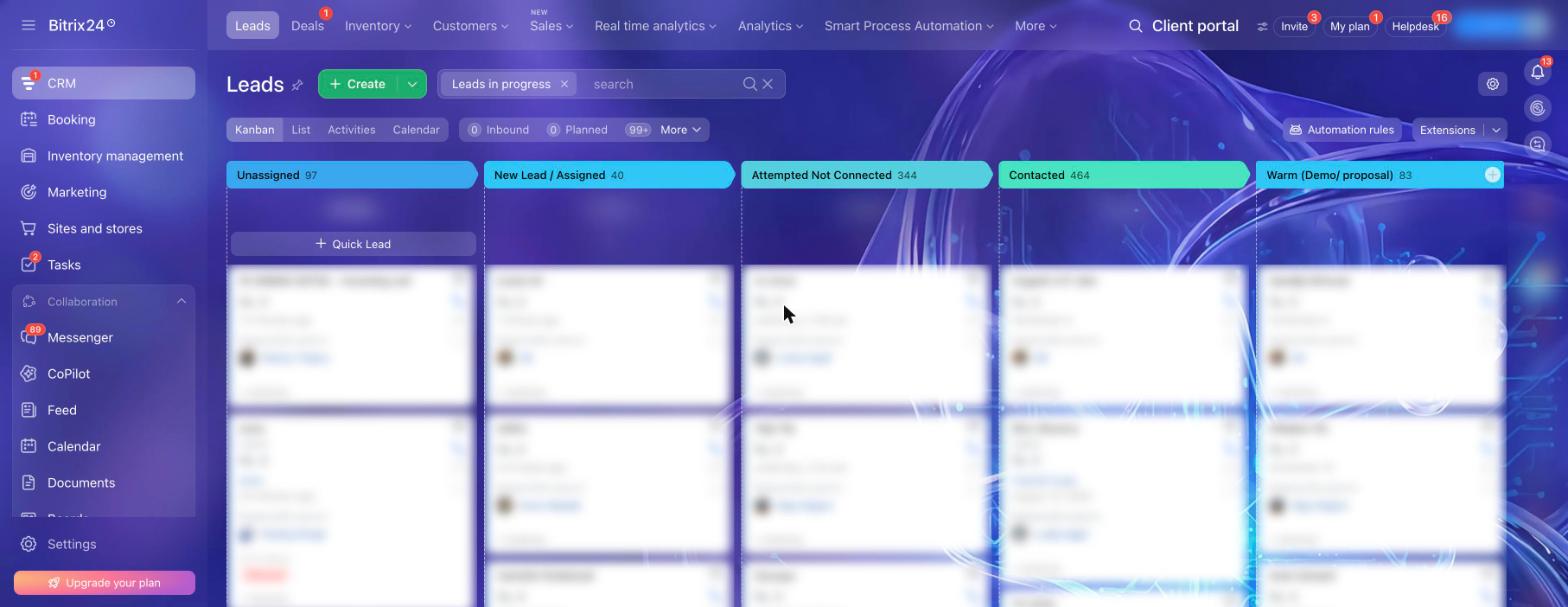
Every new enquiry lands as a lead and moves left to right through the stages below.
- Unassigned
- New Lead / Assigned
- Attempted Not Connected
- Contacted
- Warm (Demo / proposal)
- Qualified to Deals
- Lost Lead
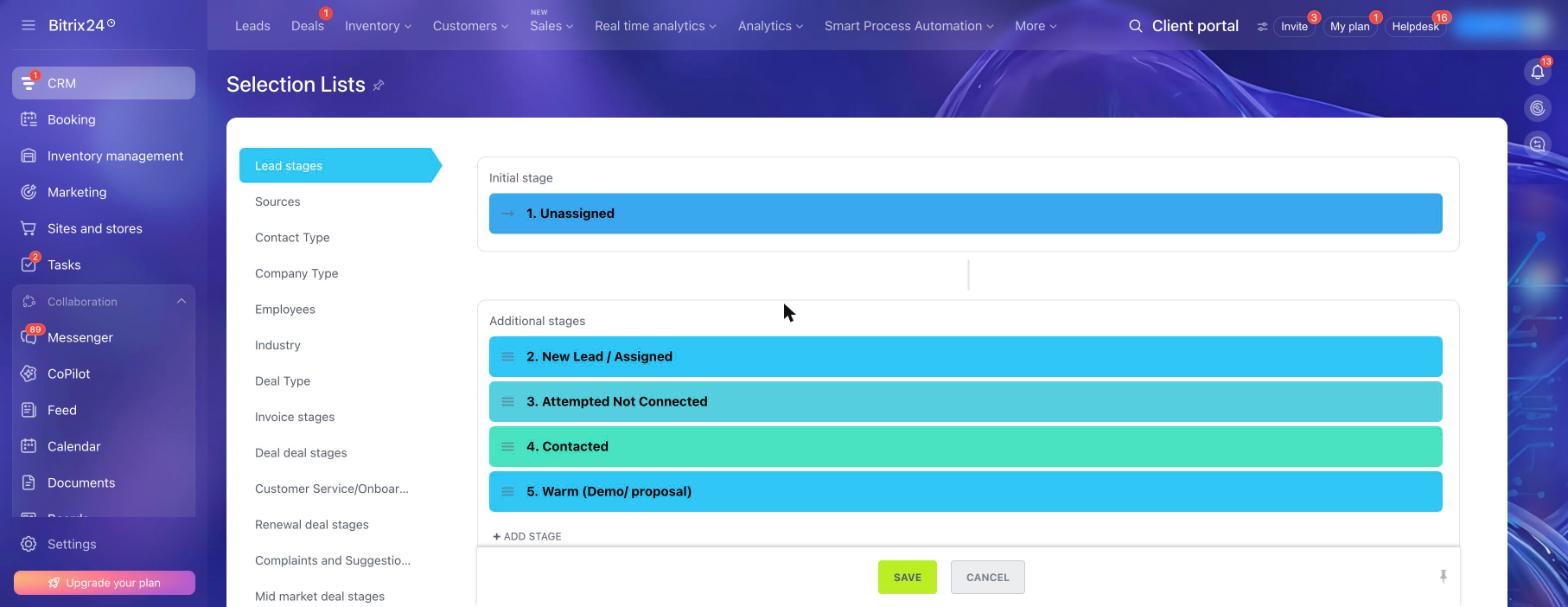
Stage setup that fits their sales process
We named the stages in the team's own words and put a "not connected" step in, because with phone enquiries, many first calls are not answered.
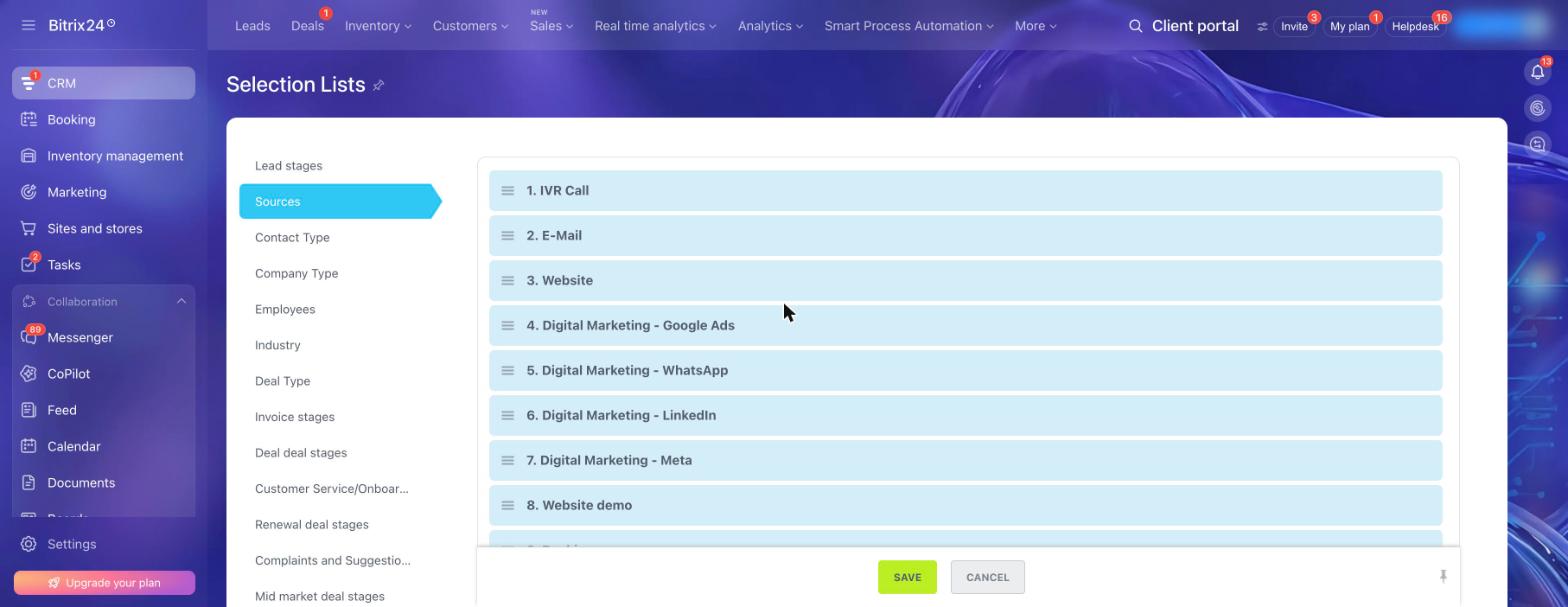
Lead sources, including IVR calls
We set up a list of lead sources so the team can see where every lead came from (see our Bitrix24 integration services for IVR and telephony). It includes IVR calls, website, email, events, partners and several online ad channels.
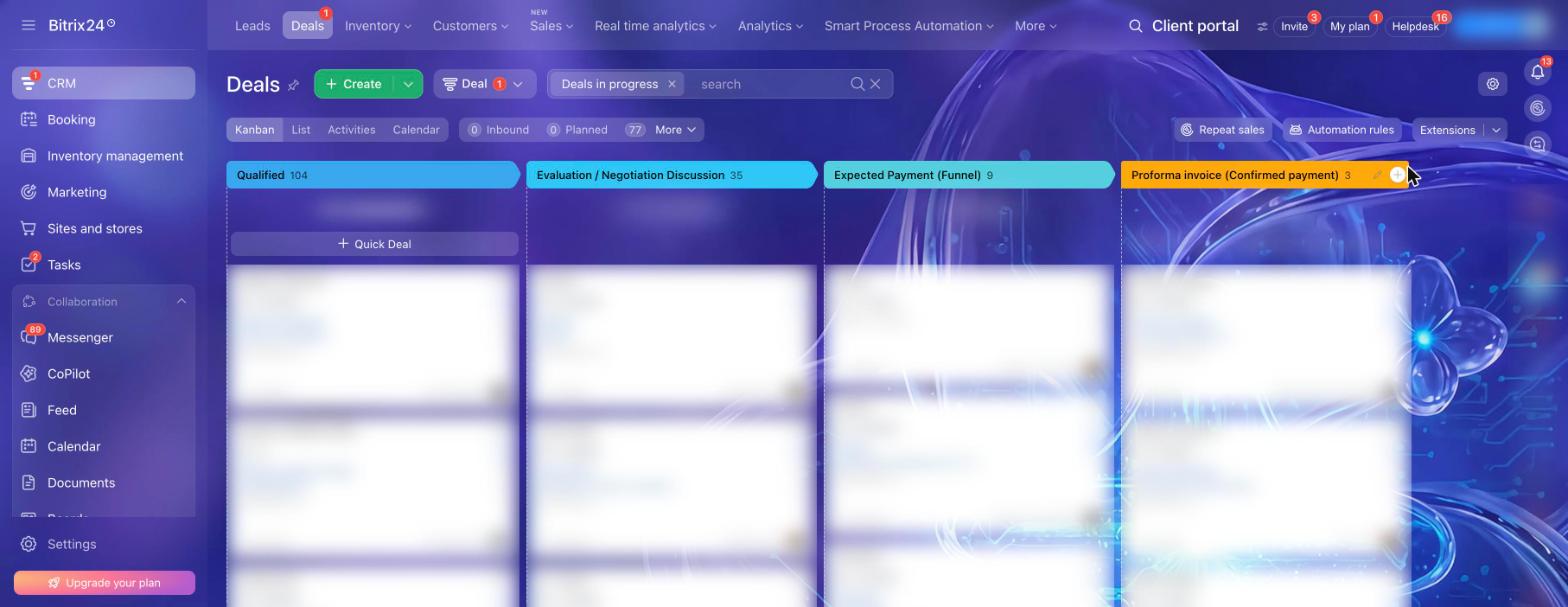
A deal pipeline for qualified leads
When a lead is ready, it becomes a deal. Deals follow their own stages until the sale is won or lost.
- Qualified
- Evaluation / Negotiation Discussion
- Expected Payment (Funnel)
- Proforma invoice (Confirmed payment)
- Deal Won
- Deal Lost
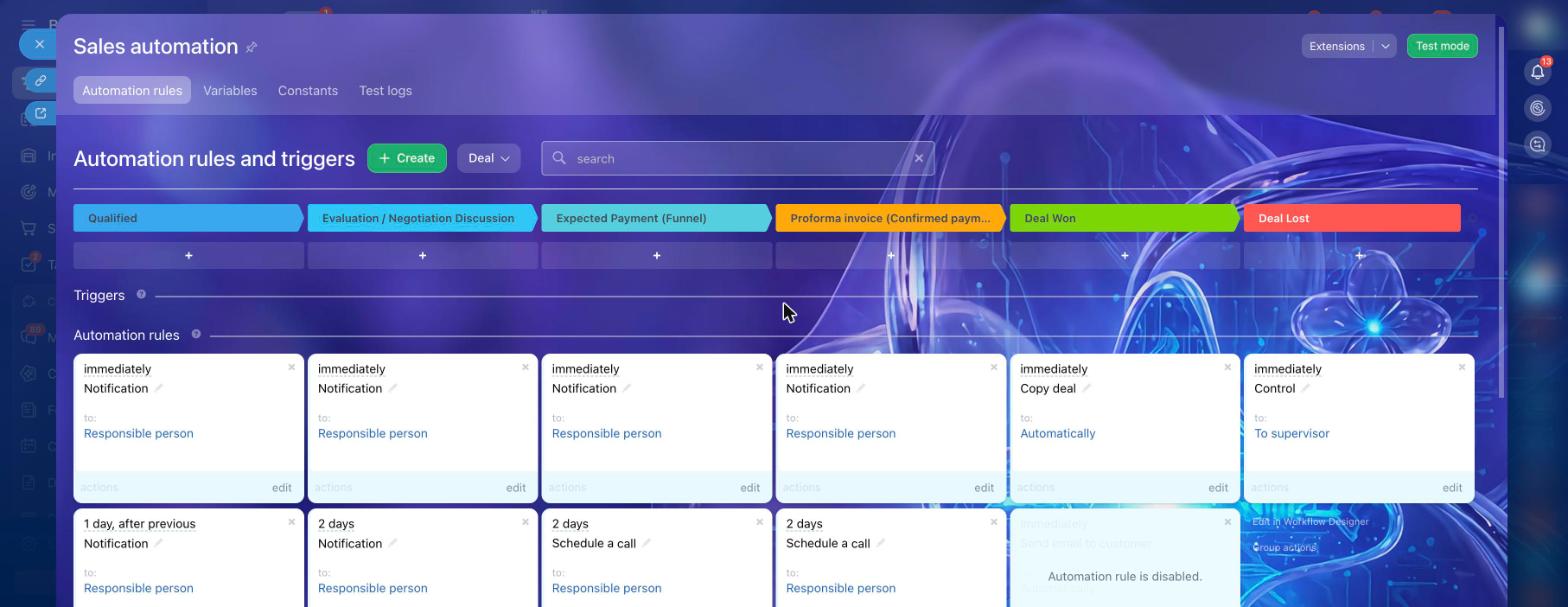
Automation rules on deals
Each deal stage has automatic steps, such as a notification to the sales person, a scheduled call, and a check by a supervisor. This keeps deals moving without anyone having to remember. Read our guide on automated lead follow-up in CRM.
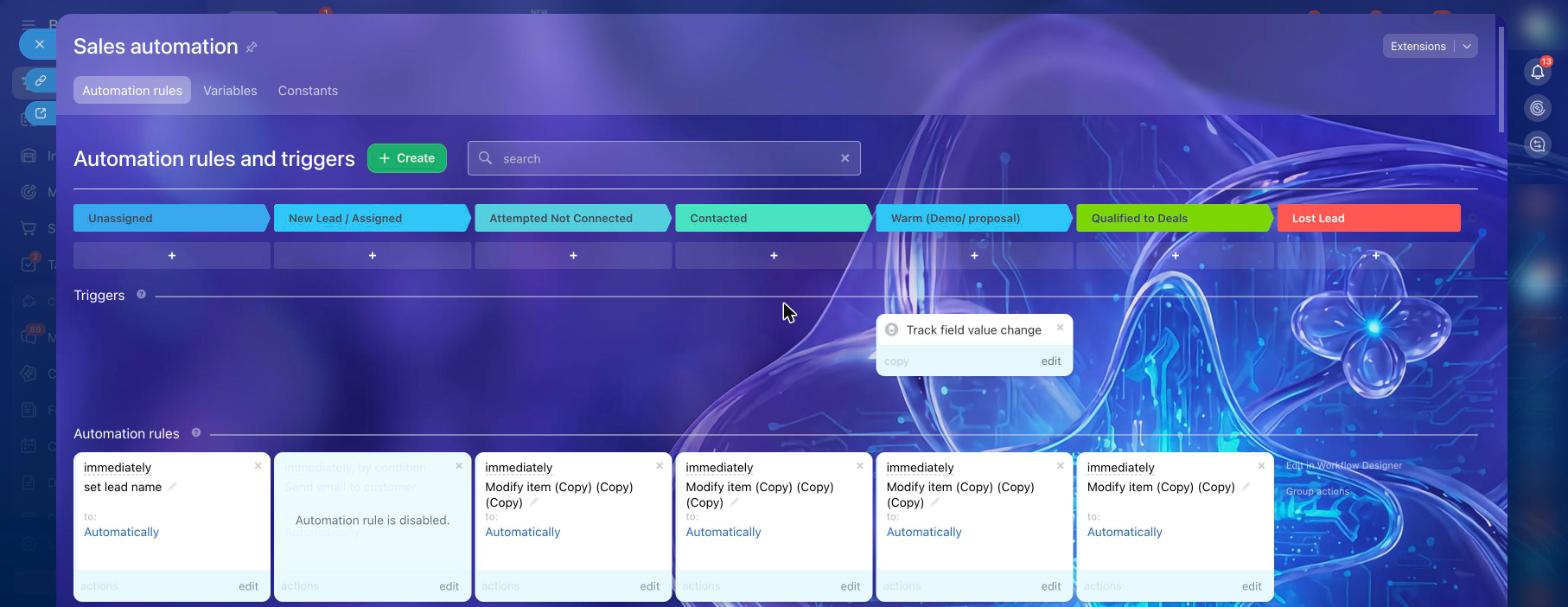
Automation rules on leads
Lead stages also have automatic steps, such as setting the lead name, updating fields when the stage changes, and tracking field changes.
The CRM today
Numbers taken from the live CRM on 17 November 2026.
These numbers change every day as the team works. "In progress" means leads and deals that are not yet won or lost.
Results
- All enquiries, including IVR calls, are kept in one CRM instead of many lists.
- Every lead shows where it came from, using 33 lead sources.
- Leads and deals follow clear stages that the whole team can see on a board.
- The main deal pipeline has automatic reminders, scheduled calls and supervisor checks at its stages.
- The team is actively using it: more than a thousand leads and over a hundred deals are in progress.
- Want the same for your sales team? See our CRM implementation services.
Why Bitrix24 is our top CRM pick for Indian businesses
- ✅ All-in-one: CRM, tasks, projects, chat, telephony, HR and websites in one product, instead of paying for five separate apps.
- ✅ Start free, grow later: a free plan to begin with and paid plans as your team grows.
- ✅ Strong automation: automation rules, triggers and smart processes for sales and non-sales work.
- ✅ Works the Indian way: WhatsApp, IVR, Facebook leads, payment links and GST-ready quotes connect easily.
- ✅ Open API: connects to Tally, ERPs and your own software through webhooks and the REST API.
Why work with Acemagick on your Bitrix24 CRM
- ⭐ Official Bitrix24 Gold Partner based in Chennai, serving businesses across India.
- ⭐ Clear per-seat pricing: from ₹30K + GST for 5 users, with WhatsApp API, AI chatbot and Day 1/3/7 follow-ups included.
- ⭐ Real integration work: Facebook Lead Ads for Bonvoice, IVR-to-lead automation for Fly Airtaxi, smart processes for Q-Line.
- ⭐ Your team actually uses it: live Zoom training, recorded videos, SOP/KRA/KPI framework.
- ⭐ Support after go-live: on-call help Mon–Fri, daily health checks, monthly reports and strategy calls — we stay with you after go-live.
Want a CRM like this for your business?
Free discovery call and demo with your own sales process. Clear scope, timeline and price — no obligation.