One CRM for every step of a solar installation business
We set up Bitrix24 so a solar installation company can follow each customer from first enquiry to material dispatch, with every team working in its own pipeline.
(name withheld)
The business
The client is a solar installation company (name withheld). It serves two kinds of customers: homes (B2C) and businesses (B2B). It also has an electrical division that sells through its own sales pipeline.
A solar job is not one sale. It starts with an enquiry and a quotation, then moves through site visits, paperwork, utility approvals, installation and materials. Many people work on each job.
The challenge
1. Many teams on one job
Sales, technical, quotation, documentation, utility, installation, project and warehouse teams all touch the same customer. Each needs to see only its own work.
2. Long paperwork steps
Government registration, a feasibility application, subsidy and meter fixing all have to be tracked, or jobs get stuck without anyone noticing.
3. Two customer types
Home customers and business customers follow different journeys, so they need separate flows that still live in one system.
What we built
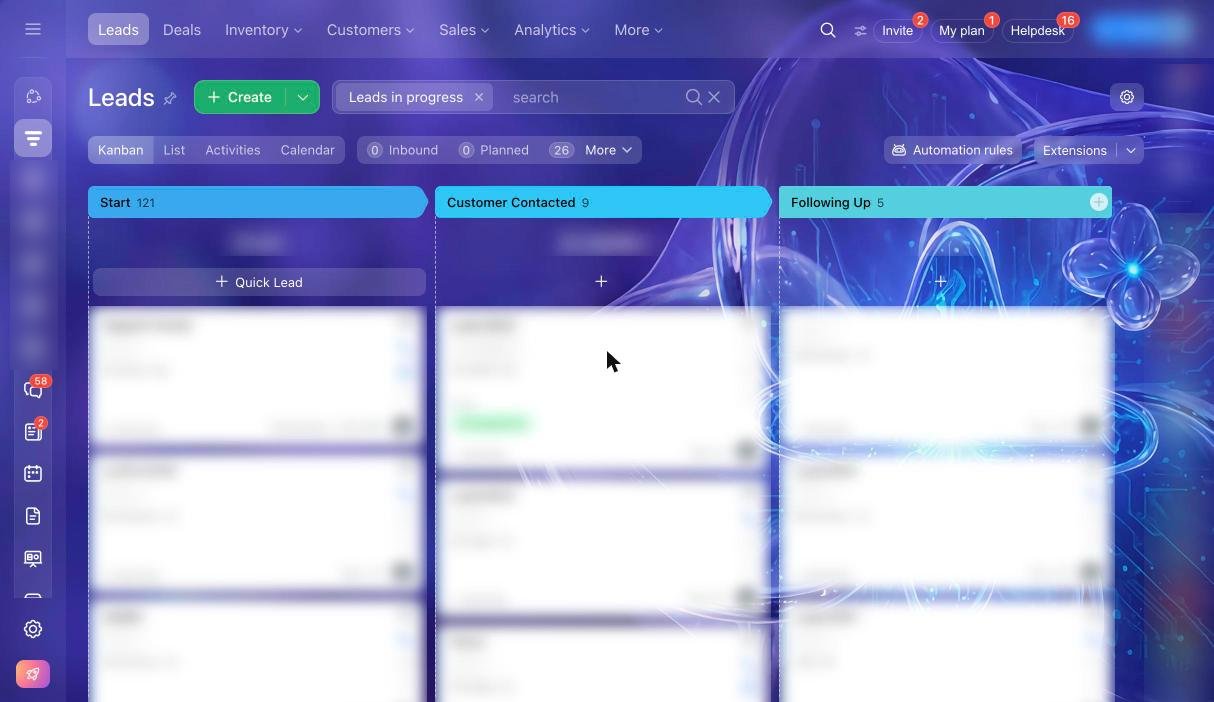
A lead pipeline to catch every enquiry
New enquiries land as leads and move through three simple stages, so nobody is forgotten.
- Start
- →
- Customer Contacted
- →
- Following Up
Deal pipelines for selling
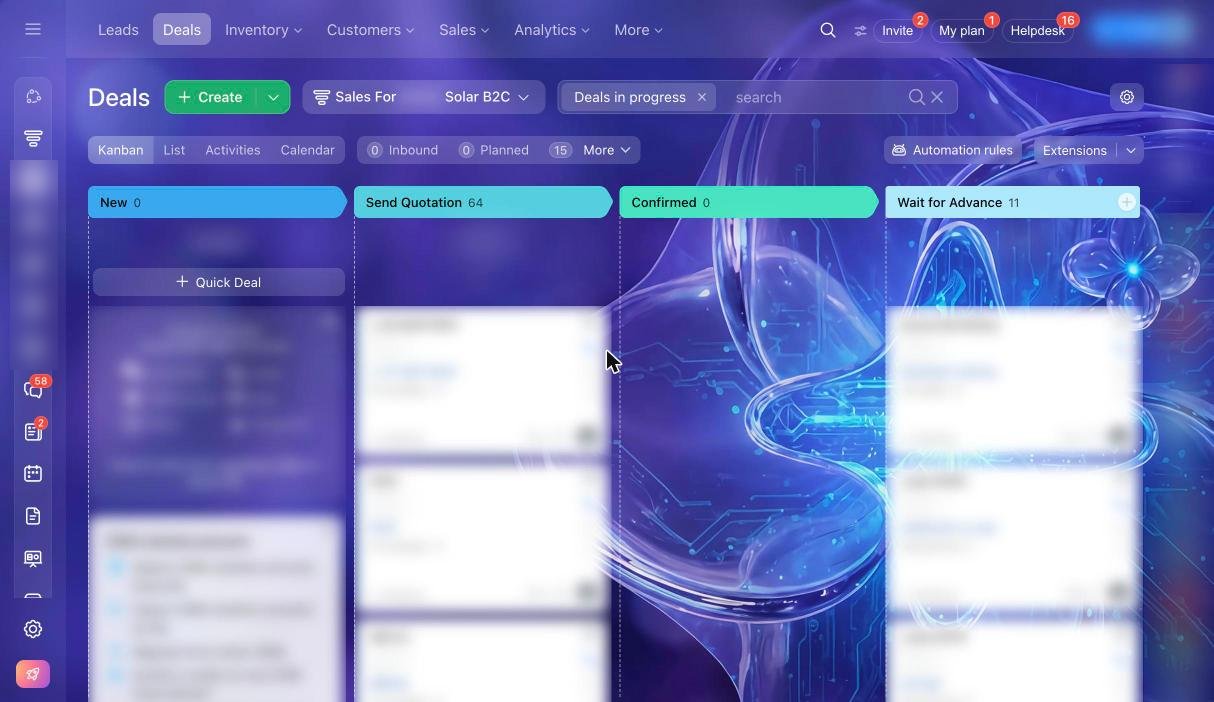
Once a customer is interested, the lead becomes a deal. We made three deal pipelines: one for home customers, one for business customers and one for the electrical division.
- New
- →
- Send Quotation
- →
- Confirmed
- →
- Wait for Advance
The business and electrical pipelines use: New, Enquiry, Send Quotation to Customer, Follow-Up, Confirmation / Advance Payment.
A smart process with a pipeline for every team
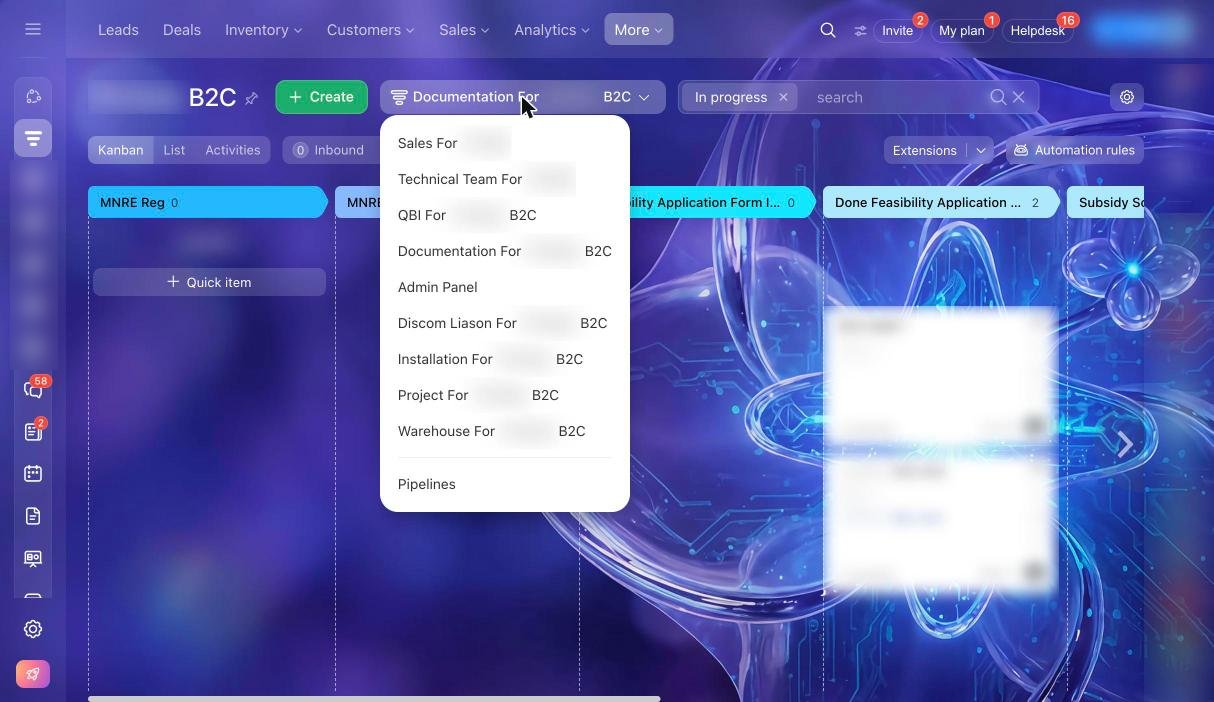
After a sale is confirmed, the job moves into a custom Bitrix24 smart process (see our Bitrix24 implementation services). For home customers we made nine pipelines, one per team. For business customers we made three. That is twelve pipelines in total.
- Sales
- Technical Team
- Quotation and Invoice
- Documentation
- Admin Panel
- Utility Liaison
- Installation
- Project
- Warehouse
Pipelines connected by tunnels, so a job moves itself from team to team
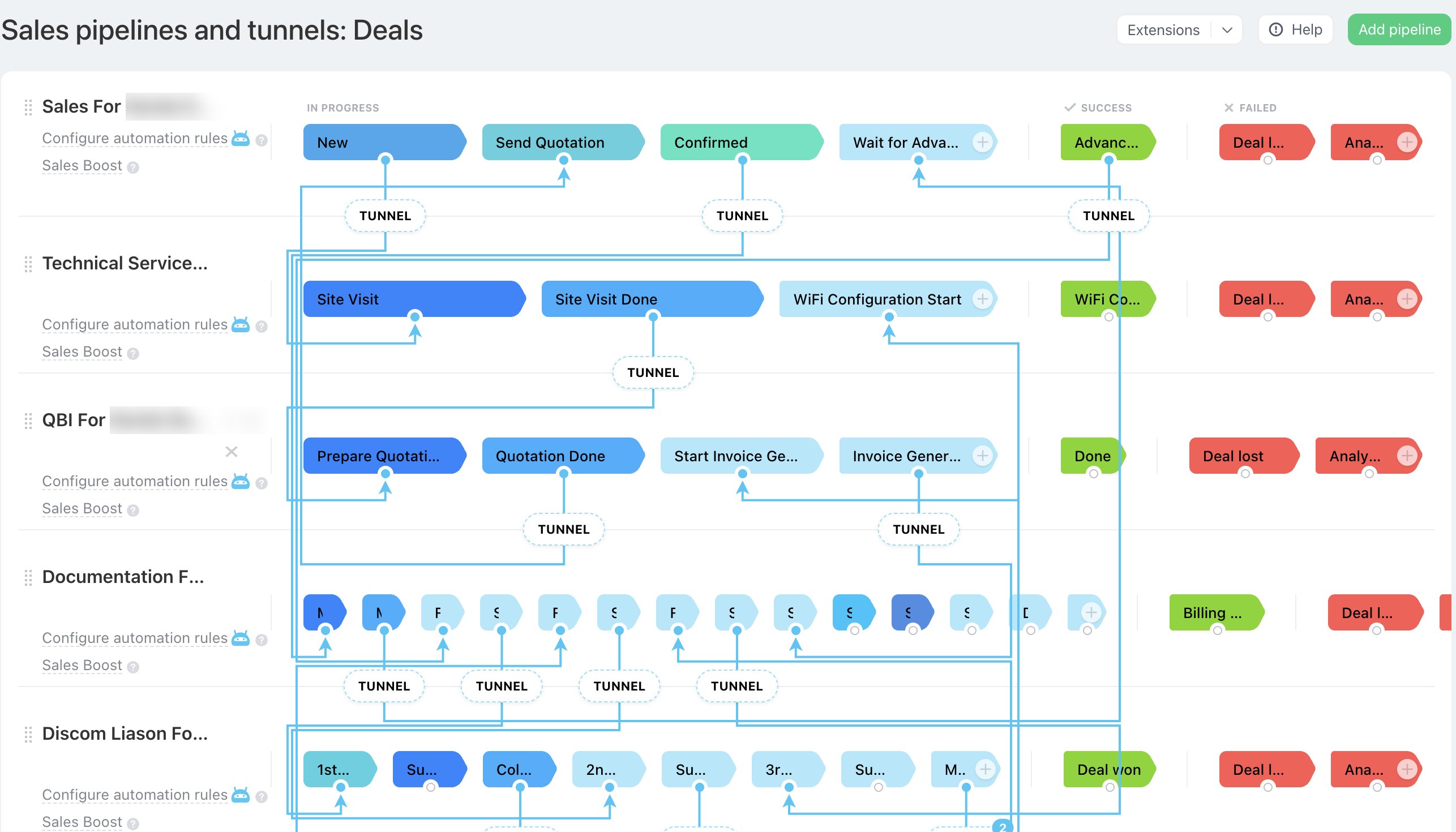
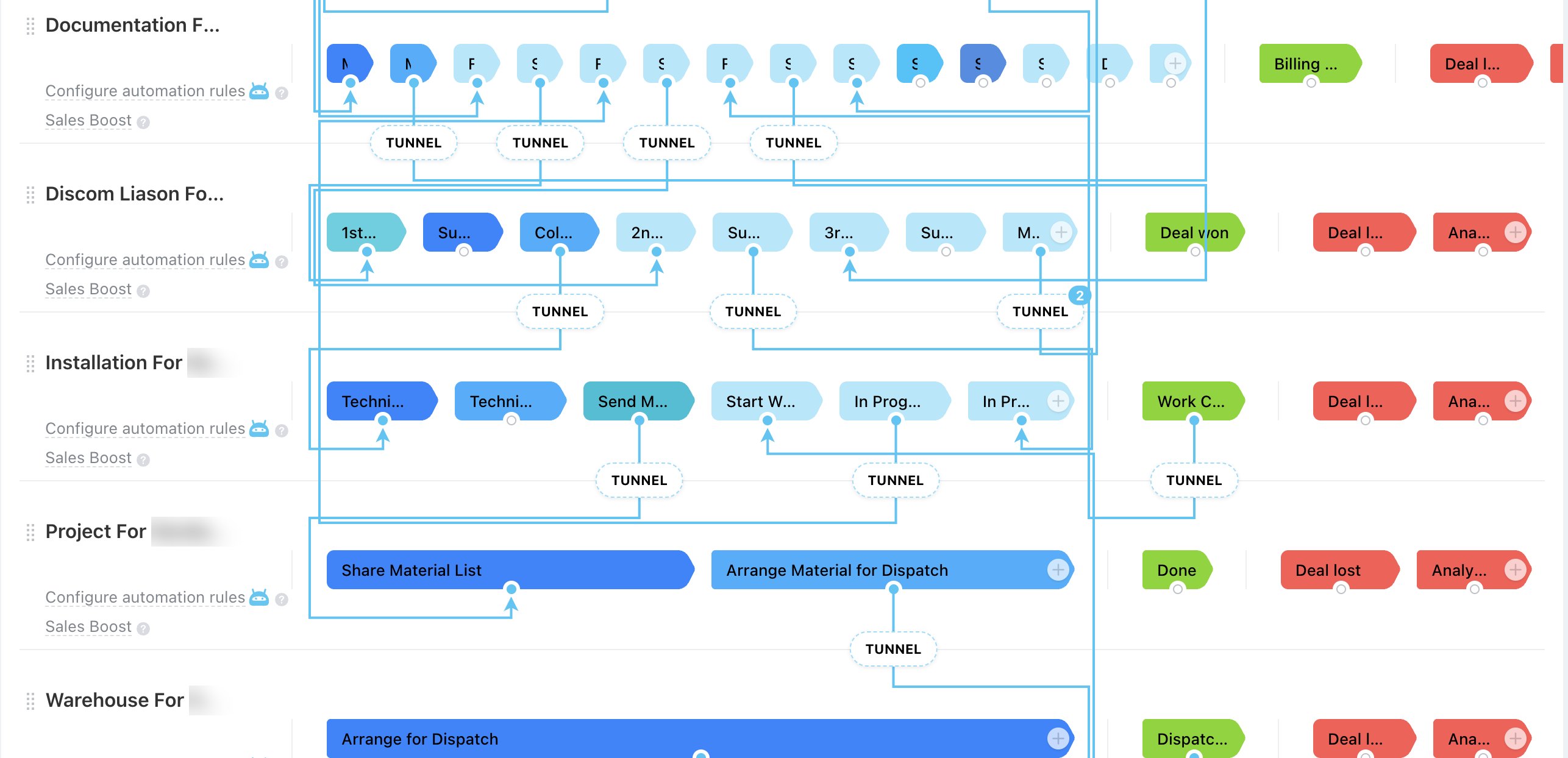
This is what makes the whole system work. Each team has its own pipeline, and we linked them with Bitrix24 tunnels. When a team finishes its stage, the tunnel automatically creates or moves the job into the next team's pipeline. Nobody has to copy details, send a message or remember to hand it over.
Home customers (B2C) follow one connected chain:
- Sales
- →
- Technical Service
- →
- Quotation and Invoice (QBI)
- →
- Documentation
- →
- Utility (Discom) Liaison
- →
- Installation
- →
- Project
- →
- Warehouse
For example, when Sales marks a deal Confirmed, a tunnel sends it to the Technical team for a site visit. When the site visit is done, the next tunnel starts the quotation in QBI. When the advance is paid, documentation and approvals begin, and so on until the warehouse dispatches the material.
Business customers (B2B) in both the solar and electrical divisions have a shorter chain of their own:
- Sales
- →
- Quotation and Invoice (QBI)
- →
- Store (material and delivery)
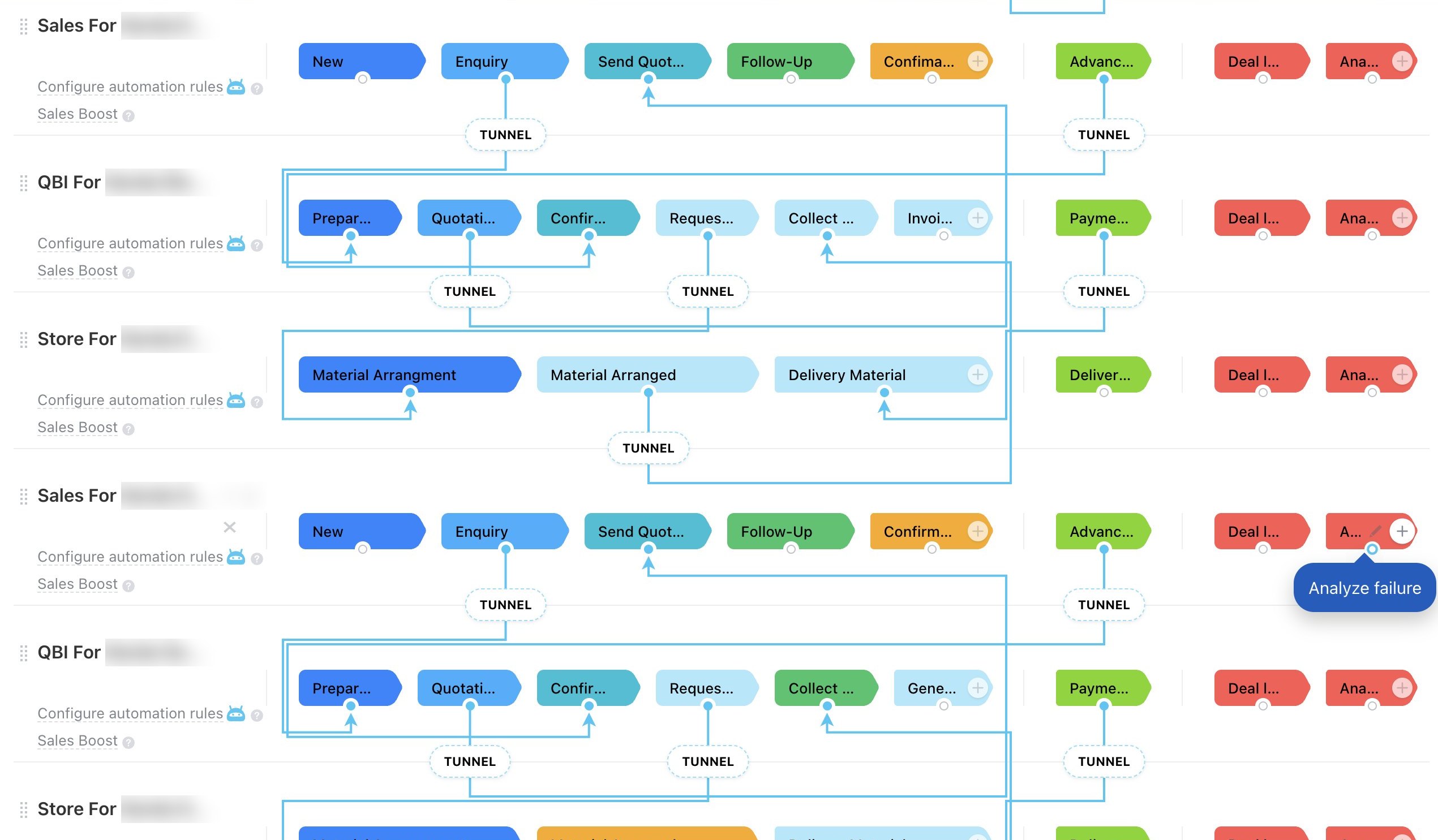
Why it matters: every team sees only its own work, managers see the whole journey, and no job gets stuck between two teams.
Quotation and invoice steps
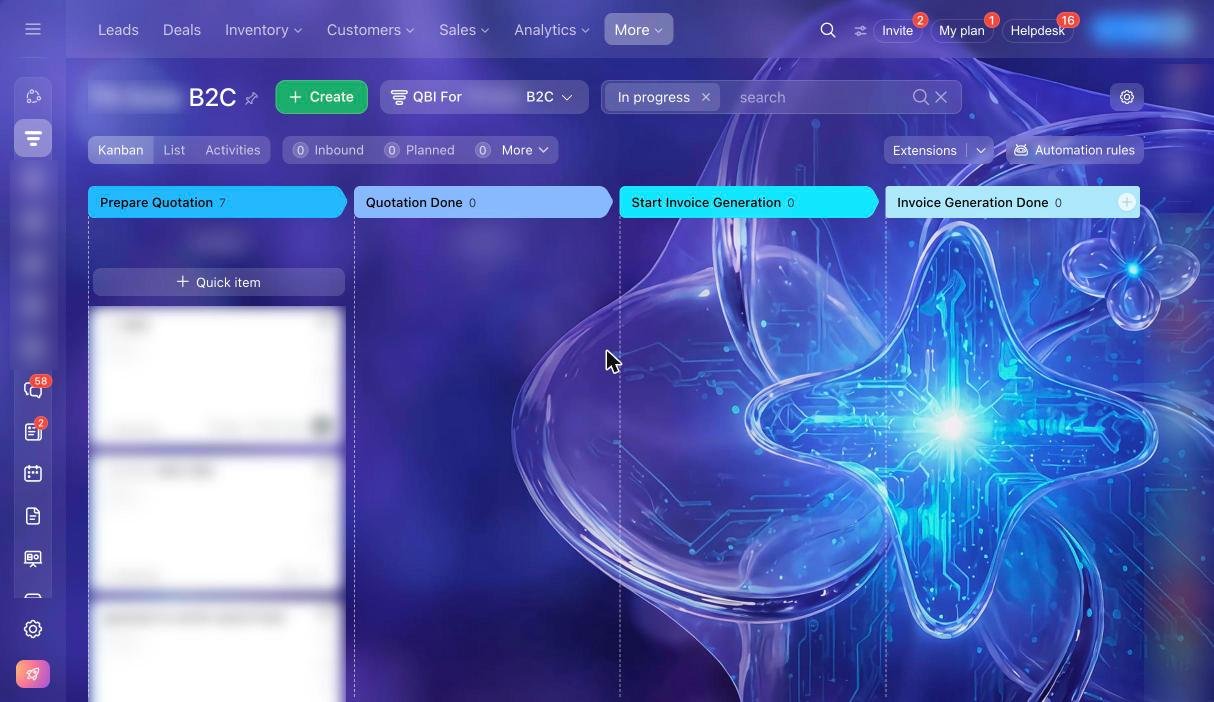
One pipeline is only for preparing the quotation and then the invoice, so the paperwork team can work without noise from other teams.
- Prepare Quotation
- →
- Quotation Done
- →
- Start Invoice Generation
- →
- Invoice Generation Done
A documentation pipeline for approvals
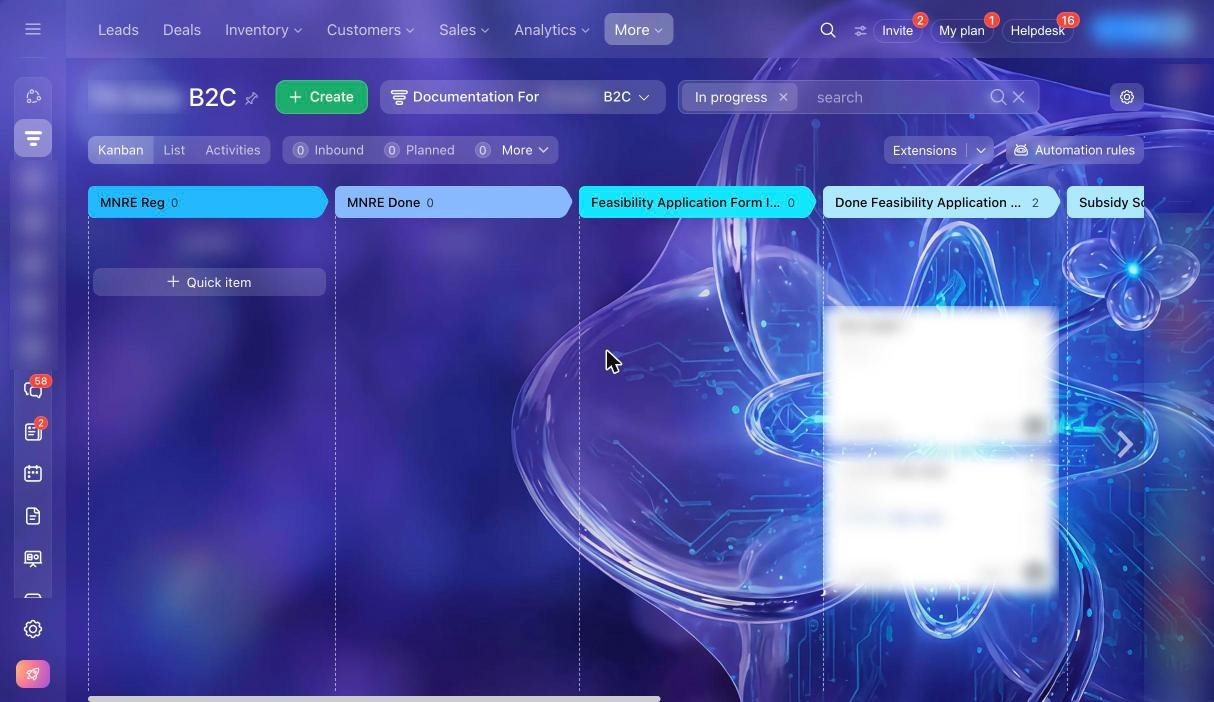
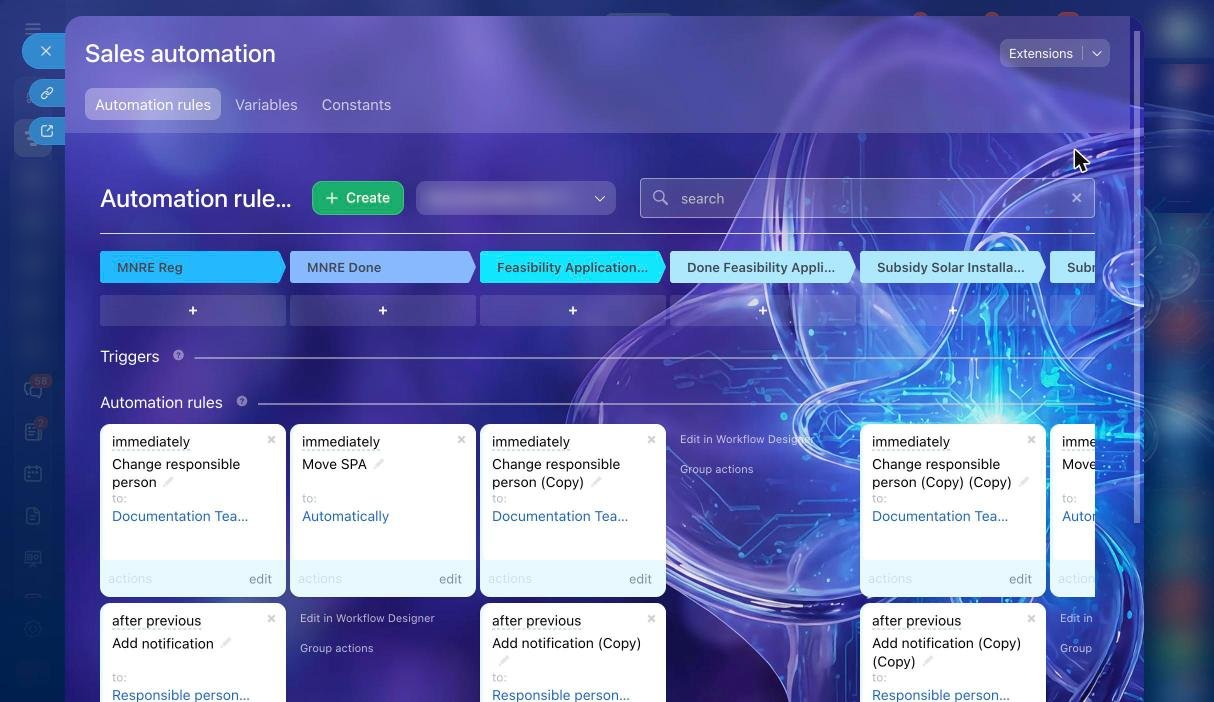
Government and utility paperwork has its own long pipeline, so every approval step is visible.
- MNRE Reg
- →
- MNRE Done
- →
- Feasibility Application (utility portal)
- →
- Feasibility Application Done
- →
- Subsidy Solar Installation
- →
- Submitted for Meter Fixing
- →
- Docket Handover
- →
- Balance Payment Collected
Automation that hands the job to the next team
We added automation rules to the stages. In the documentation pipeline, the rules change the responsible person, send a notification, and move the job on, without anyone doing it by hand. Learn more in our automated follow-up guide.
The CRM today
Numbers taken from the live portal on 17 November 2026. They count only items that are still in progress.
Leads: 121 in Start, 9 in Customer Contacted, 5 in Following Up. Home-customer deals: 64 in Send Quotation, 11 in Wait for Advance. Smart process pipelines: 9 for home customers and 3 for business customers.
Results
- One system, start to finish. Enquiries, quotations, paperwork, installation and warehouse work are all in the same Bitrix24 portal.
- Every team has its own board. Twelve smart process pipelines mean each team sees its own stages.
- Automatic hand-over between teams. Tunnels link the pipelines, so a job moves from Sales to Technical, Quotation, Documentation, Installation and Warehouse by itself.
- Clear approval tracking. The documentation pipeline lists every approval step, from registration to balance payment.
- Less manual hand-over. Automation rules change the responsible person and send notifications when a job moves.
- Want the same for your solar business? See our CRM implementation services. Read our guide on CRM for solar installers.
- In daily use. On the date above, 135 leads, 75 home-customer deals and 14 smart process jobs were open in the portal.
Why Bitrix24 is our top CRM pick for Indian businesses
- ✅ All-in-one: CRM, tasks, projects, chat, telephony, HR and websites in one product, instead of paying for five separate apps.
- ✅ Start free, grow later: a free plan to begin with and paid plans as your team grows.
- ✅ Strong automation: automation rules, triggers and smart processes for sales and non-sales work.
- ✅ Works the Indian way: WhatsApp, IVR, Facebook leads, payment links and GST-ready quotes connect easily.
- ✅ Open API: connects to Tally, ERPs and your own software through webhooks and the REST API.
Why work with Acemagick on your Bitrix24 CRM
- ⭐ Official Bitrix24 Gold Partner based in Chennai, serving businesses across India.
- ⭐ Clear per-seat pricing: from ₹30K + GST for 5 users, with WhatsApp API, AI chatbot and Day 1/3/7 follow-ups included.
- ⭐ Real integration work: Facebook Lead Ads for Bonvoice, IVR-to-lead automation for Fly Airtaxi, smart processes for Q-Line.
- ⭐ Your team actually uses it: live Zoom training, recorded videos, SOP/KRA/KPI framework.
- ⭐ Support after go-live: on-call help Mon–Fri, daily health checks, monthly reports and strategy calls — we stay with you after go-live.
Want a CRM like this for your business?
Free discovery call and demo with your own sales process. Clear scope, timeline and price — no obligation.